
GST : 27AAFFV7667M1ZA

call images

Call us

08045801431

How to Choose the Best Smart Speaker in 2026?

Choosing a Smart Speaker in 2026 is no longer just about finding the loudest device or the lowest price. It means weighing sound, voice accuracy, privacy controls, and compatibility with the lights, phones, and services already in your home. Small details matter. Can it hear a request over a running kettle? Will it work smoothly with your preferred music service? Does its microphone switch have a clear, visible indicator?

The market has matured, but ownership remains substantial. Edison Research and NPR’s 2023 Smart Audio Report found that 35% of U.S. adults owned a smart speaker. That figure signals a familiar household technology, not a guarantee that every model suits every buyer. Former Amazon Devices chief David Limp described the voice-assistant market as “still in the early days of voice,” a useful reminder that capabilities and support can change. Buyers should check current software policies and device compatibility rather than rely on launch-day promises.

This guide compares the factors that shape everyday use: room-filling sound, far-field microphone performance, assistant quality, privacy settings, and long-term value. We’ll also consider whether a compact speaker fits a bedside table better than a larger model suited to a kitchen or living room. No single device wins for everyone. The best choice is the one that performs reliably in your space, supports your routines, and gives you control over what it hears.
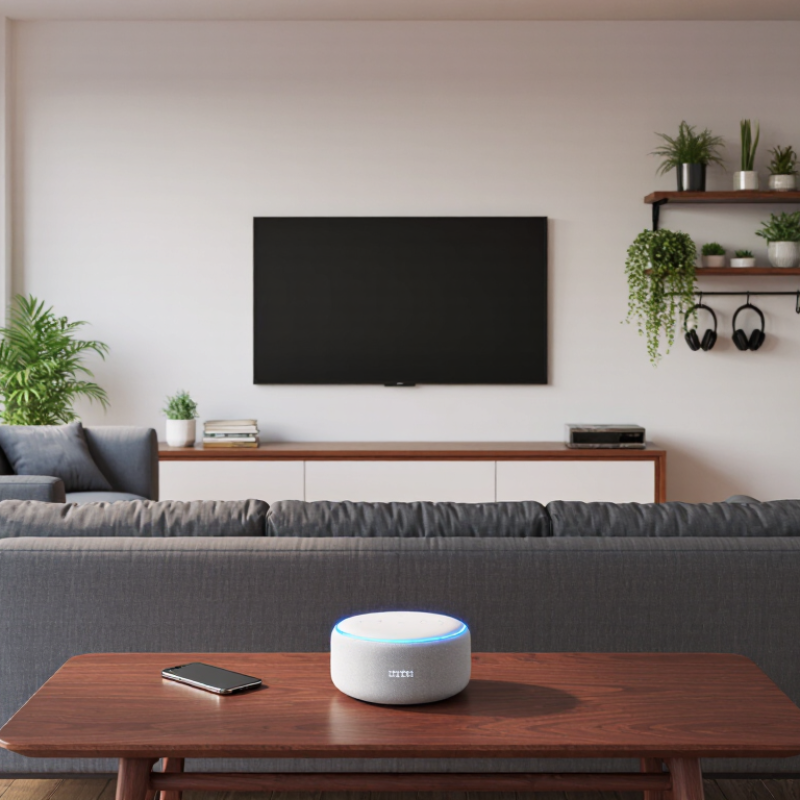
How to Choose the Best Smart Speaker in 2026?

Identify Your Needs and Intended Uses

Before comparing features, picture an ordinary day in your home. Will the speaker answer quick questions while you cook, play music in one room, or support hands-free calls? Write down your three most common uses. Be specific: “music” might mean quiet background jazz during dinner, while “help in the kitchen” could mean setting timers with wet hands. Small details matter.

Room size and placement also shape the choice. A compact bedroom speaker may not need powerful bass, but a larger open room can make quiet voices harder to hear. Check whether you need voice control from across the room, physical buttons, or a clear microphone mute switch. If several people will use it, consider whether it can recognize different voices reliably. I still find this easy to misjudge: a feature that sounds useful in a shop may rarely help at home.

Think about your existing devices and comfort with connected services. A speaker may rely on a phone, an account, or a steady internet connection for certain functions. Check its privacy controls and whether common tasks work without voice commands. Keep the budget realistic, too. More features do not always mean a better fit. Start with your daily routines, then compare only the capabilities that would genuinely make them easier.

How to Choose the Best Smart Speaker in 2026? — Identify Your Needs and Intended Uses

Rate how important each use is to you from 1 (low priority) to 5 (high priority). These example scores are a planning aid, not product ratings or survey results. Adjust them to match your routine.

Use your highest-priority needs to guide your comparison. For example, frequent music listening may make sound quality and multi-room audio important, while smart-home use may call for checking device compatibility and voice-control features. Also consider privacy controls, accessibility, and your budget.

Compare Sound Quality, Voice Assistants, and Smart Features

Sound quality should fit the room, not just impress during a quick demo. Play a familiar song at a moderate volume. Listen for clear vocals, steady bass, and harshness when the volume rises. A small speaker may sound lively on a desk but thin across an open kitchen. Room shape and placement matter. Try it where you plan to use it.

Voice assistants differ in how naturally they handle everyday requests. Test a timer, a follow-up question, and a command spoken from across the room. Does the speaker recognize you over running water or a television? That matters. Also check whether it can control the devices you already own. Compatibility lists can look reassuring, yet a feature may require extra setup. Read the details.

Smart features are useful when they reduce small daily hassles. Multi-room playback, routines, and clear mute controls can make a real difference. Check the companion app before buying, if possible; confusing menus can turn a clever feature into clutter. It is easy to overvalue a long feature list. I would give more weight to reliable voice pickup and simple controls, though that preference may not suit everyone. Ask how the speaker handles software updates and what voice recordings you can review or delete. A brief test helps.

Check Compatibility With Your Devices and Services

A smart speaker is only useful when it works with the devices and services you already rely on. Edison Research and Triton Digital’s 2024 Infinite Dial report found that 35% of U.S. adults owned a smart speaker. Ownership alone, however, says little about whether it will control your lights, play your preferred audio, or recognize household calendars.

Check the speaker’s supported Wi-Fi bands and connection standards against your home setup. Then review its compatibility list for each device, not just the overall system. A lamp may respond to voice commands but lack support for dimming or scheduled routines. Small details matter. Also confirm that your phone’s operating system and preferred music, podcast, and calendar services are supported; availability can vary by region and subscription tier.

Matter support may improve communication between compatible smart-home devices, but it does not guarantee every feature works through every speaker. Check the exact device model and supported functions. If possible, test one routine before buying: ask the speaker to turn off a specific light and start a chosen playlist. It sounds basic, yet this quick check can expose gaps that product pages gloss over. A compatibility list can also become outdated, so verify it with the device maker before purchase.

Review Privacy Settings, Security, and Accessibility

When choosing a smart speaker in 2026, check its privacy controls before judging sound quality. Look for a physical microphone switch, a clear recording indicator, and simple voice-history deletion. Test them in a quiet room: can you tell when the microphone is off, and remove a recording without searching through several menus? Small details matter. Pew Research Center reported in 2023 that 67% of U.S. adults understood little or nothing about how companies use their data, while 73% felt they had little or no control over it. Those figures make clear settings more than a convenience. Check whether voice recordings are stored by default, how long they remain, and whether account data can be deleted. Also review the device’s security-update policy. A smart speaker left unsupported can become a weak link in a home network.

Accessibility deserves a hands-on test, not just a feature list. Try spoken commands at different volumes, use the physical buttons, and check whether setup instructions are available in readable text. Can the speaker respond clearly when a room is noisy? Can someone with limited mobility mute it without reaching behind furniture? These questions are easy to overlook. The World Health Organization estimated in 2023 that 1.3 billion people experience significant disability, so accessible controls serve many households. Still, voice control is not a complete solution; accents, speech differences, and hearing needs can expose its limits. I would compare privacy and accessibility settings before buying, then revisit them after setup. That second check is easy to forget.

How to Choose the Best Smart Speaker in 2026? — Review Privacy Settings, Security, and Accessibility

Use this comparison framework to evaluate smart speakers without relying on brand claims. Prioritize documented controls and features that match your household’s needs.

Evaluation Dimension Suggested Weight What to Check A Strong Choice Should Offer Why It Matters
Microphone privacy 20% Check whether the device has a physical microphone-off control, a clear status indicator, and a documented explanation of when audio is processed. A physical mute control that disables microphone input, with an easy-to-understand visual or audible indication. Physical controls make it easier to limit voice capture without relying only on app settings.
Voice recording controls 15% Review whether you can inspect, delete, and manage voice recordings, and whether automatic deletion options are available. Accessible recording history, straightforward deletion controls, and clear information about retention and review settings. Recording practices and retention periods can differ by service and account configuration.
Account and network security 20% Look for support for multi-factor authentication on the associated account, encrypted connections, security updates, and documented account-protection options. Multi-factor authentication where available, secure account controls, and a stated process for software and security updates. A speaker is connected to an account and home network, so account security and ongoing updates are important parts of device security.
Accessibility 20% Test voice setup and everyday use with the intended user. Check for visual status indicators, app accessibility support, adjustable volume, and non-voice controls. More than one way to control key functions, understandable feedback, and accessible setup and companion-app controls. Multiple interaction methods can make a device more usable for people with hearing, vision, speech, or mobility needs.
Smart-home compatibility 10% Confirm compatibility with the household’s existing devices and required connectivity standards. Check whether supported features require a hub, subscription, or specific network setup. Clear compatibility information for the exact devices and functions you plan to use. Compatibility can vary by device model, software version, region, and feature.
Audio and room suitability 7% Listen at normal and low volume in the intended room. Consider speech clarity, maximum volume, physical size, and placement. Clear speech at comfortable listening levels and a size and sound profile suited to the room. Audio performance is partly subjective and depends on room acoustics, placement, and listening habits.
Voice recognition and language support 5% Verify support for the languages, accents, household profiles, and voice features you actually need. Documented language support and reliable performance in practical household tests. Recognition quality can vary with accent, background noise, distance, and the selected language.
Cost and long-term support 3% Compare the purchase price with any required subscriptions, replacement costs, warranty terms, and published support information. Transparent ongoing costs and clear warranty and software-support information. The lowest purchase price may not represent the lowest total cost over time.

How to use the weights: They are suggested decision weights, not independent product-test results. Confirm current features, regional availability, and privacy policies in the device and service documentation before buying.

Compare Prices, Support, and Long-Term Value

A low sticker price can hide the real cost: subscriptions, replacement cables, and a device that stops receiving updates. Parks Associates’ 2024 research estimates that roughly four in ten U.S. internet households own a smart speaker. With many homes using one, check whether a speaker works with your existing devices before comparing discounts. Ask how long software updates are promised, whether key features require a subscription, and what the warranty covers. Small print matters.

Support shapes long-term value. CTA’s 2024 U.S. Consumer Technology Industry Forecast projected $512 billion in retail revenue, up 2% year over year; a large market, however, does not guarantee lasting software support. Compare the total cost over three years, not just the checkout price. A slightly dearer model may be cheaper if it avoids a subscription and stays useful longer. Check the maker’s support page for update policies and contact options before buying. Also test voice pickup from your usual seat, with the television on. I would not treat a polished demo as proof of reliability. It is easy to overlook how quickly a useful feature can become annoying.

Article Source:

Back to top
